CARBON
CARBON: getting hands-on with the toolkit, from install to cockpit
CARBON is the tool I build to practise automotive pentesting without a car: one environment, a simulated ECU, and the whole CAN/UDS cycle at hand. Here is how to install it and actually use it, no needless jargon.
What it is, and why
The rest of this site shows how a car gets attacked. CARBON is the workbench to do it yourself, cleanly. A containerized toolkit that drives a CAN bus and speaks UDS (ISO 14229), shipped with a simulated ECU: you practise against a target that answers for real, without ever touching a vehicle.
- The full CAN cycle: listen, record, forge, replay frames.
- UDS diagnostics: service scan, sessions, seed-key unlock, reading data, reading and clearing fault codes.
- One path for everything: command line, terminal UI, web client or AI-driven sessions all go through the same point, with the same guardrail and the same journal.
Install in two minutes
Two ways. From source if you have Python 3.11 or later: the most direct route to hack on the code. Or the Docker image, which bundles can-utils and the rest, and runs unprivileged.
git clone https://github.com/matthieu-rgb/carbon-toolkit
cd carbon-toolkit
python3 -m venv .venv && . .venv/bin/activate
pip install -e '.[dev]'
pytest            # no hardware needed: python-can virtual bus

# host arch, loaded into the local daemon
docker buildx build --load -t carbon:0.7.0 .

# quick check: the full cycle, on its own
docker run --rm carbon:0.7.0 smoke
First contact: CAN frames
Run carbon with no command: you land on a dashboard that recalls the current bus, your recent actions and the suggested next step. Handy to never wonder where you are. Then the basic cycle is four verbs: sniff, dump, inject, replay.
# shortcut so you don't repeat the interface every time
cc(){ carbon --interface udp_multicast --channel 239.74.163.2 "$@"; }

cc can_sniff --count 5          # capture 5 frames
cc can_dump capture.log --count 100
cc can_inject 7DF 0201         # forge and inject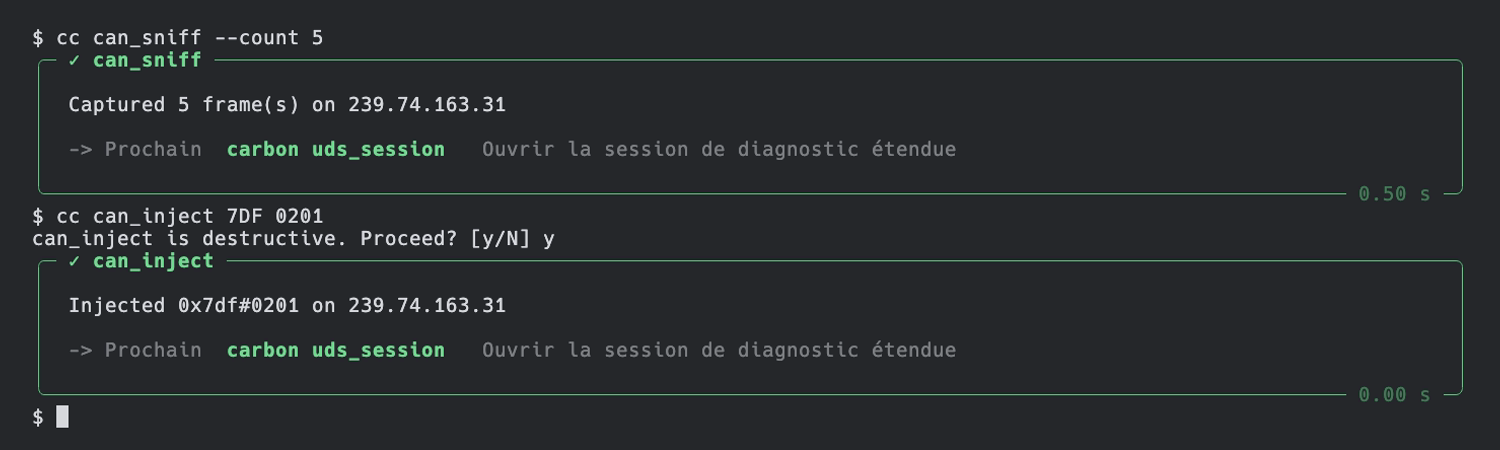
You saw it on the screenshot: can_inject does not fire on its own. Injecting or replaying changes the bus state, so the tool asks for approval. Interactively it waits for your y/n. In a script it flatly refuses until you pass --yes, and every run is written to the journal.
Talking to the ECU: UDS and seed-key
Where it gets interesting is diagnostics. CARBON ships a UDS client and a simulated ECU to practise on. You start the ECU in one terminal and talk to it from another. The typical dialogue: scan the services, open a session, unlock security, read a protected value.
# terminal 1: the ECU listens
cc emu start

# terminal 2: the dialogue
cc uds_scan                 # which services answer
cc uds_read_did 1234        # protected value: refused (locked)
cc uds_security_access      # seed -> key -> unlocked
cc uds_read_did 1234        # this time: deadbeef
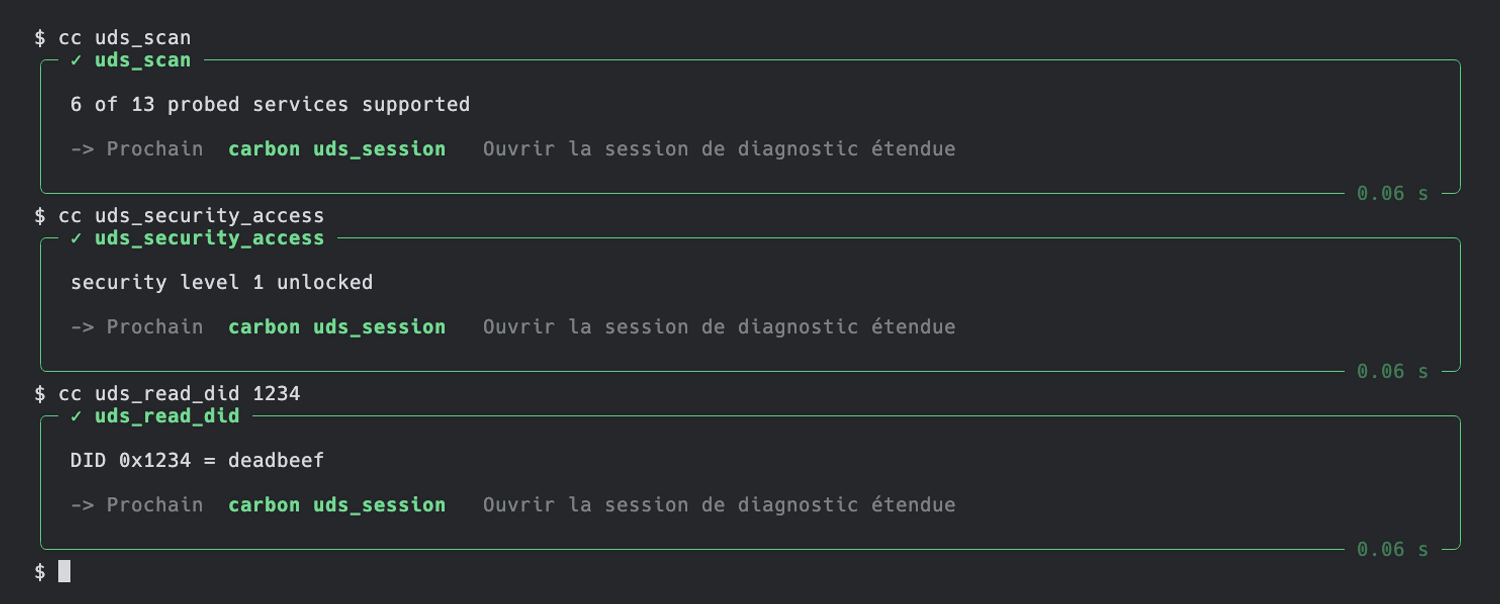
The unlock deserves a word. SecurityAccess is a challenge-response: the tool asks for a seed, computes a key and sends it back (sendKey). The simulated ECU uses a documented, deliberately educational algorithm that you can redo by hand to understand the mechanism.
key = rotl32(seed XOR 0xA5A5A5A5, 3)

seed 11223344  ->  key a43cb70d
The cockpit: everything at a glance
The command line is great for moving fast. But to learn, or to keep the thread of a session, CARBON has a real-time terminal UI. You launch it with carbon tui. Two modes: guided, which tells you what to do at each step, and free, to run tools in whatever order you like.
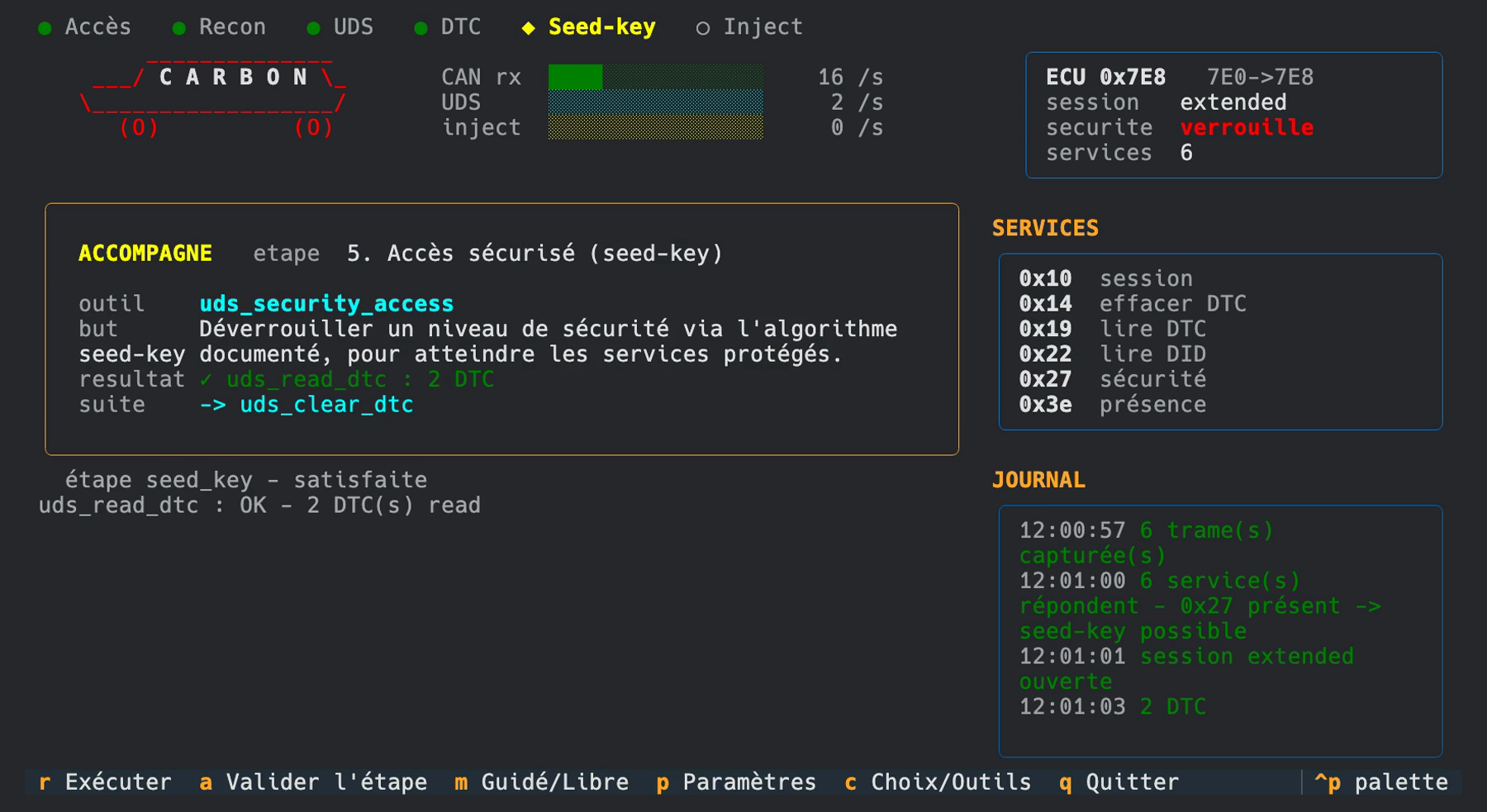
It is all there: at the top the progress (Access, Recon, UDS, DTC, Seed-key, Inject), the traffic scrolling on the bars, the ECU state. In the center, the action card says which tool is running, why, and what to do next. On the right, the discovered services and the journal. Built for a beginner discovering as much as for an expert who wants it dense.
- r
- Run the tool of the current step.
- a
- Validate the step (move to the next one).
- m
- Toggle between guided and free mode.
- p / c
- Set parameters, pick a tool.
The guardrail, plainly
This is the decision I am proudest of, so let me dwell on it. A destructive action never authorizes itself. From the command line it is the y/n confirmation (or --yes in a script). But from the terminal UI, the web client or an AI, the request goes into a queue, and a human has to approve it through a channel the requester cannot reach.
What goes through on its own
- Reading: scan, sessions, reading a DID, reading DTCs.
- Listening to and recording the bus.
- Anything that does not alter the target's state.
What needs a green light
- Injecting a frame.
- Replaying a capture.
- Clearing fault codes, writing a value.
The point: an AI can drive a whole session, chain the scan and the diagnostics, suggest what comes next. But the moment it really touches the vehicle stays in human hands. The AI drives, it does not sign.
Practising: the CTF mode
To get the tool into your hands (mine included), CARBON ships a set of challenges. Nine of them, from intro to tough, unlocking as you go. Every flag is of the form CARBON{...}; you submit it, the tool validates, and the next step opens.
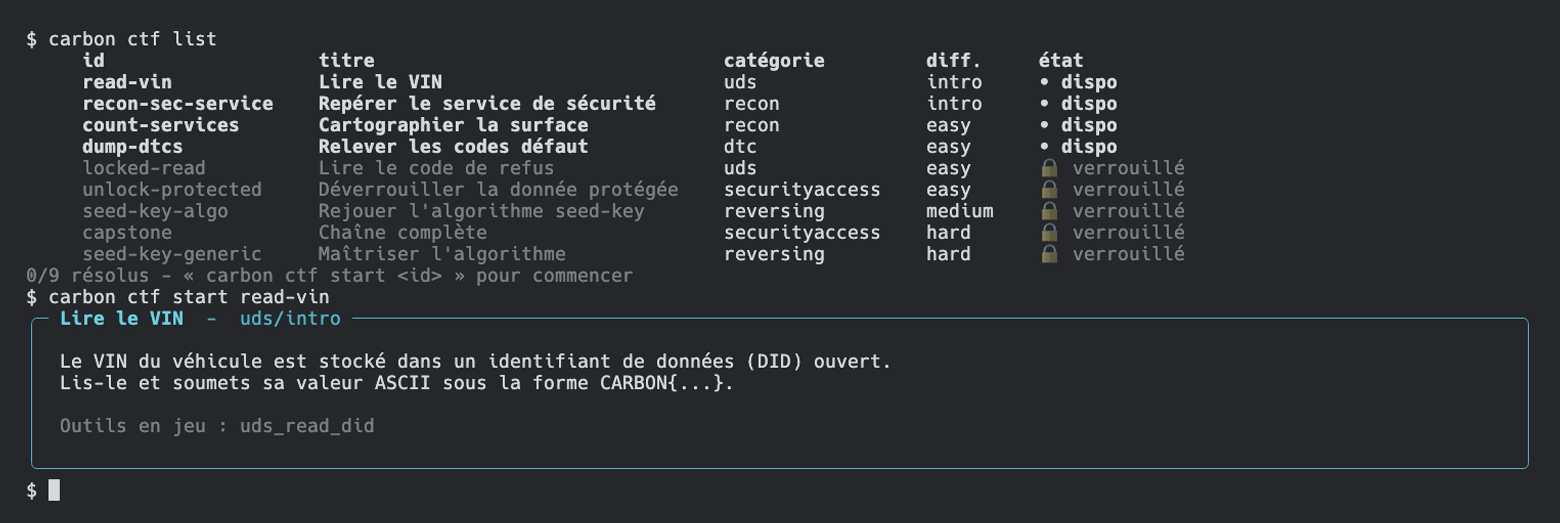
carbon ctf list                 # see the path
carbon ctf start read-vin       # the brief
carbon ctf submit read-vin 'CARBON{...}'
carbon ctf hint read-vin # a nudge if neededGoing further
CARBON is open source (GPLv3) and keeps moving forward. The full docs are in the repo: an architecture reference in English, and a complete user guide in French. And if you want to first understand what CARBON manipulates, the rest of the site is made for that: the CAN bus, UDS, reverse engineering.
- The CARBON repo on GitHubcode, docs, Docker image
- Understand the CAN busthe pillar, before you manipulate
- UDS diagnosticsservices, seed-key, reflashing
- Install the other tools (can-utils, ICSim...)the full lab